
- Log in to your Sandbox / Live GoCardless Dashboard and go to the developer section
- Click the 'Create' button in the top-right and choose 'Access token'
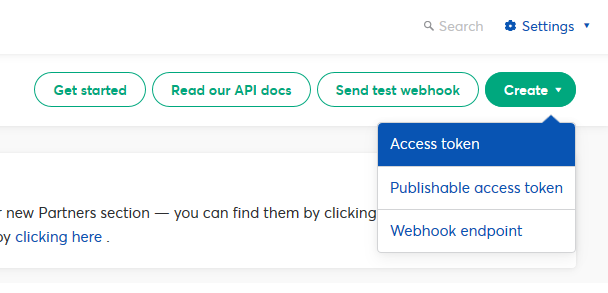
- Name your access token, choose scope 'Read-write access' and click 'Create access token'
- Now the new access token will be shown to you. Please copy it now, as you will not be able to see this again. This new token is now active and ready to use
- 0 Bu dökümanı faydalı bulan kullanıcılar:
