
1. Stats area
Just above the menu, where Pending Orders, Overdue Invoices, etc. It will show 'X Pending Alerts', where X is the total number of alerts.
Screenshot:

Move the mouse over 'X Pending Alerts' to see summary of the alerts.
2. Sidebar
On the left side menu, it will show a new section called Nifty Alerts. Under that you could see 'X Pending Alerts'.
Screenshot:
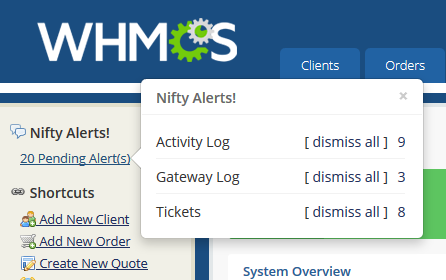
Move the mouse over 'X Pending Alerts' to see summary of the alerts.
