How to make it work with JCE Editor?

Follow below intruction to make the iOS Image Fixer take effect on JCE Editor,

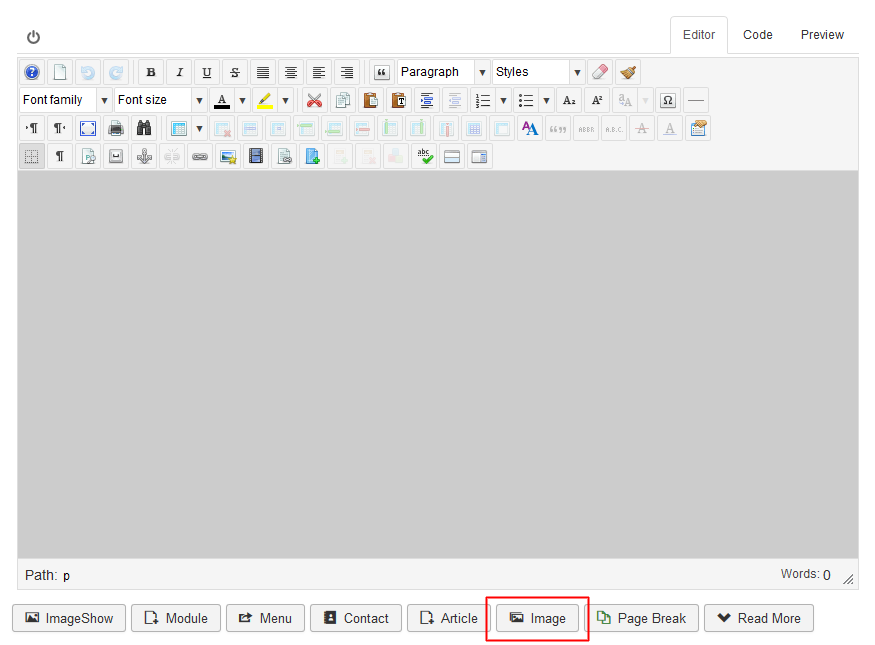
  1. Use the 'Image' button on the bottom of the editor
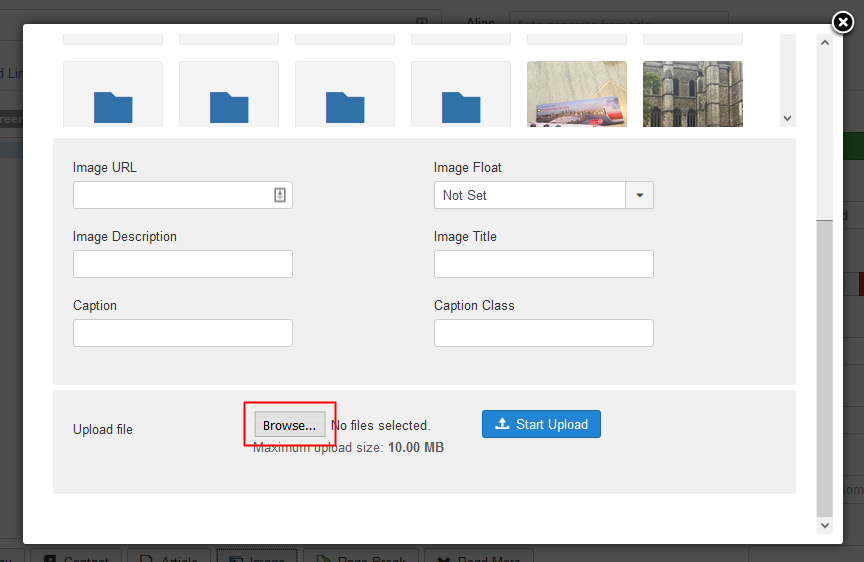
  2. Screenshots:


  3. Browse and Upload will automatically fix the problematic image

Note: Uploading image(s) through 'Insert/Edit image' icon from JCE eidtor's toolbar will not have any effect.

  • 0 utilizatori au considerat informația utilă
Răspunsul a fost util?

Articole similare

How to download this plugin?

Go to Services > My Products & Services Click on Nifty iOS Image Fixer - will show only...

Installing / uninstalling

How to install? Navigate to Extensions > Extension manager > Install To upload the...