If you have registered a domain name with us but would like your site to be hosted elsewhere, this is certainly possible.
If you would like to have all of your DNS settings hosted with your hosting elsewhere, along with all aspects of your domain/site, you would have to point the domain's nameservers to your host. You may have to contact your host to find out what these settings are.
In order to change your nameservers, you will have to login to your client area / billing account and select My Domains.
Once you have selected this, click Manage next to your domain name. You will be directed to a page where you can manage certain aspects of your domain, including nameservers.
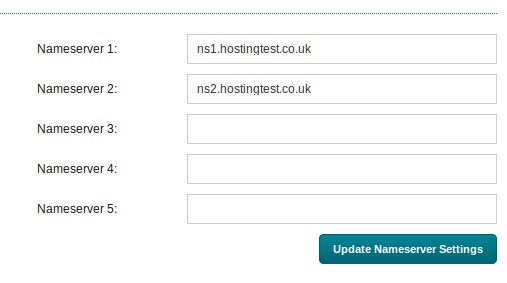
Under Nameserver Management there are five fields in which you should enter your host's nameservers. Once you've done this, click Update Nameserver Settings.
Note: Please allow up to 24 hours for these changes to propagate through the global DNS system.