
You can set-up outlook on your PC or Mac to receive and send emails on your email addresses hosted on our cloud hosting platform.
This can be done quite easily and this guide will detail how exactly you can do this.
First, we would log into our cloud hosting (control.gridhost.co.uk), Manage our desired website and then select Email Accounts.
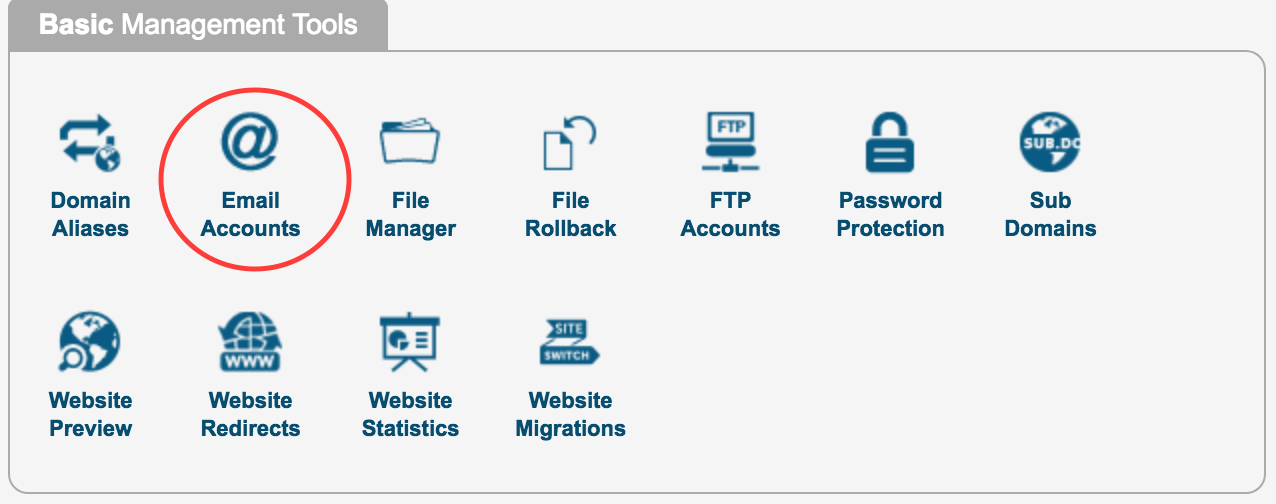
Once here, we would select the Client Configuration tab to get the information we would need to configure outlook.

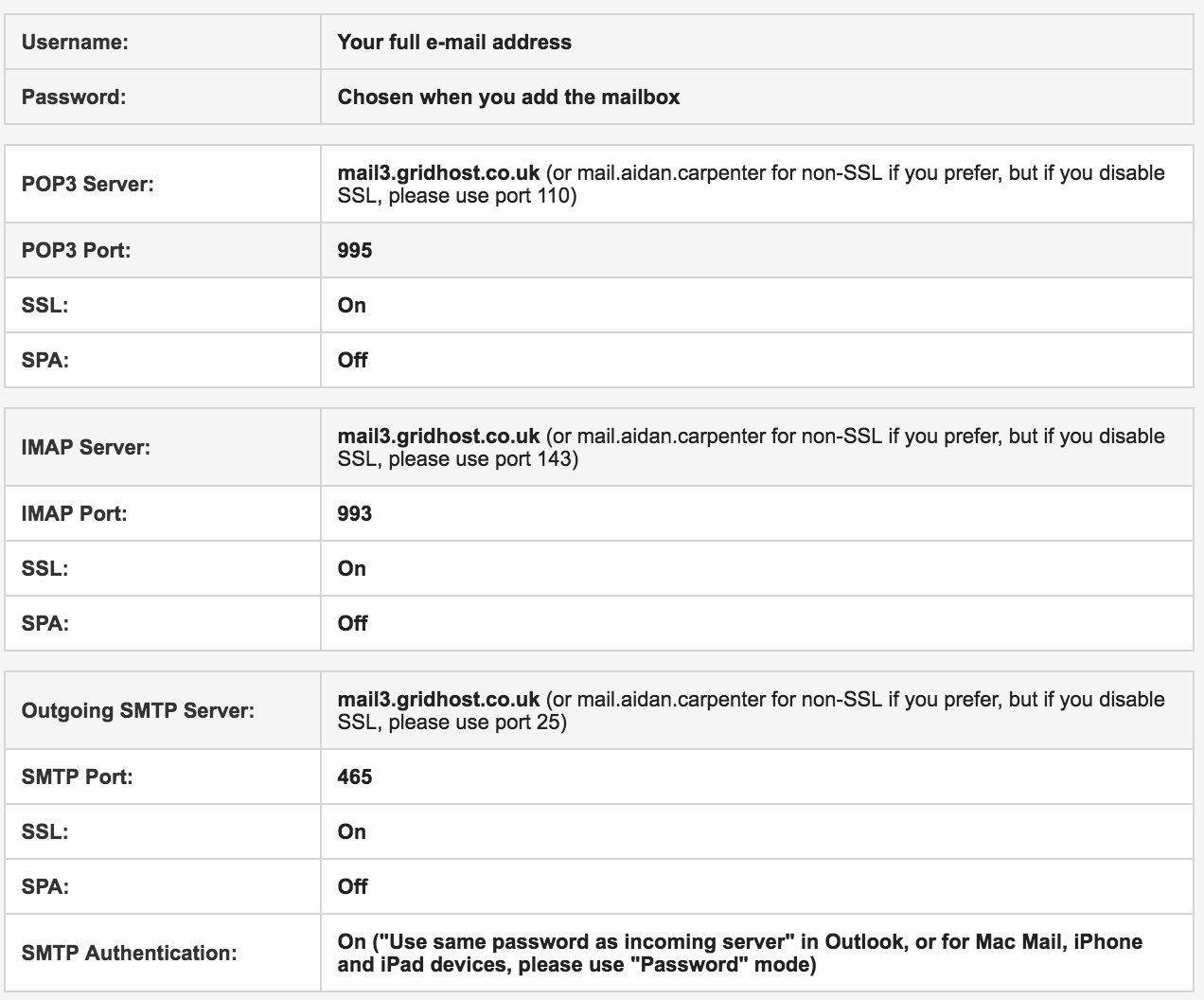
We would highly recommend using IMAP and the SSL settings for both incoming and outgoing servers.
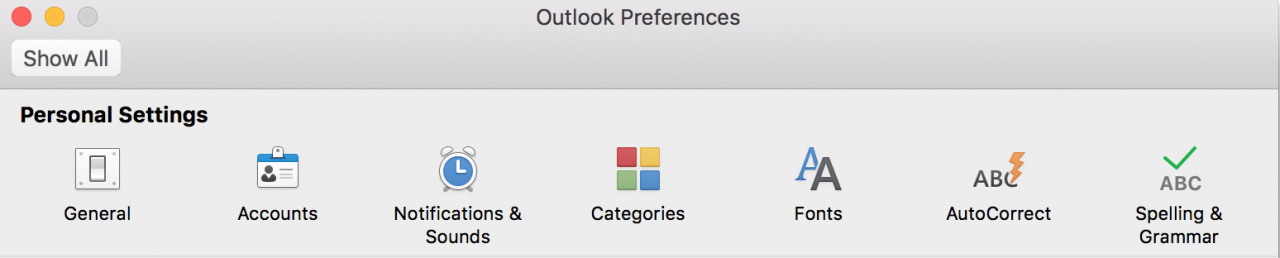
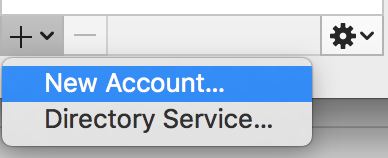
Now lets go into outlook and select Preferences and then Accounts, Then the plus symbol on the bottom left hand corner of this menu, then 'New Account'.
Then we would select 'IMAP/POP' as the email type.
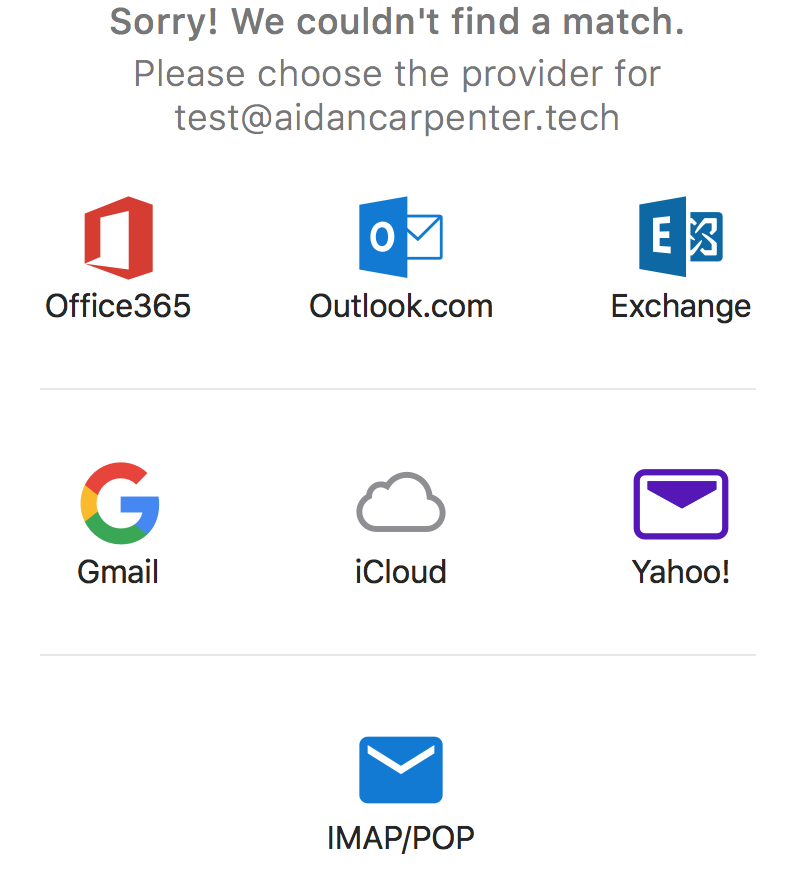
Once selected we will have to enter all of our email address details including the username which would be the same as the email address, password, incoming and outgoing servers and ports.
Once entered, we can add the account.
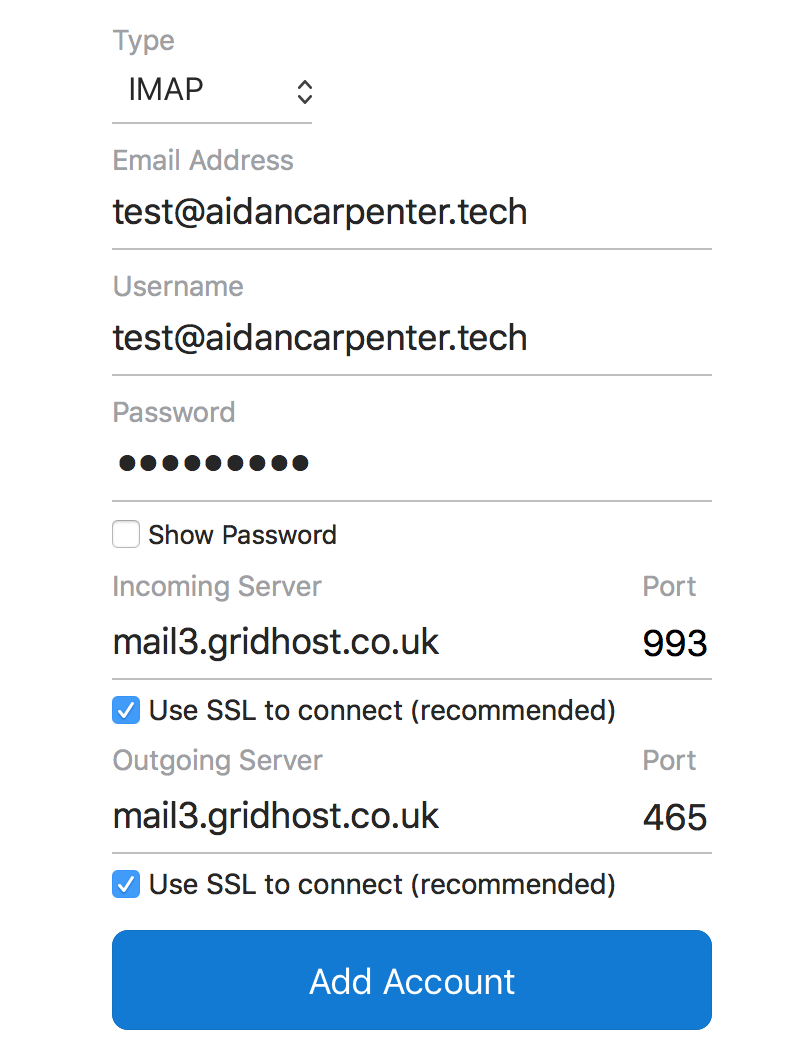
If any issues occur, you can always go into Mail => Preferences and make sure that the details match those listed in the Client Configuration tab in your cloud hosting control panel.
